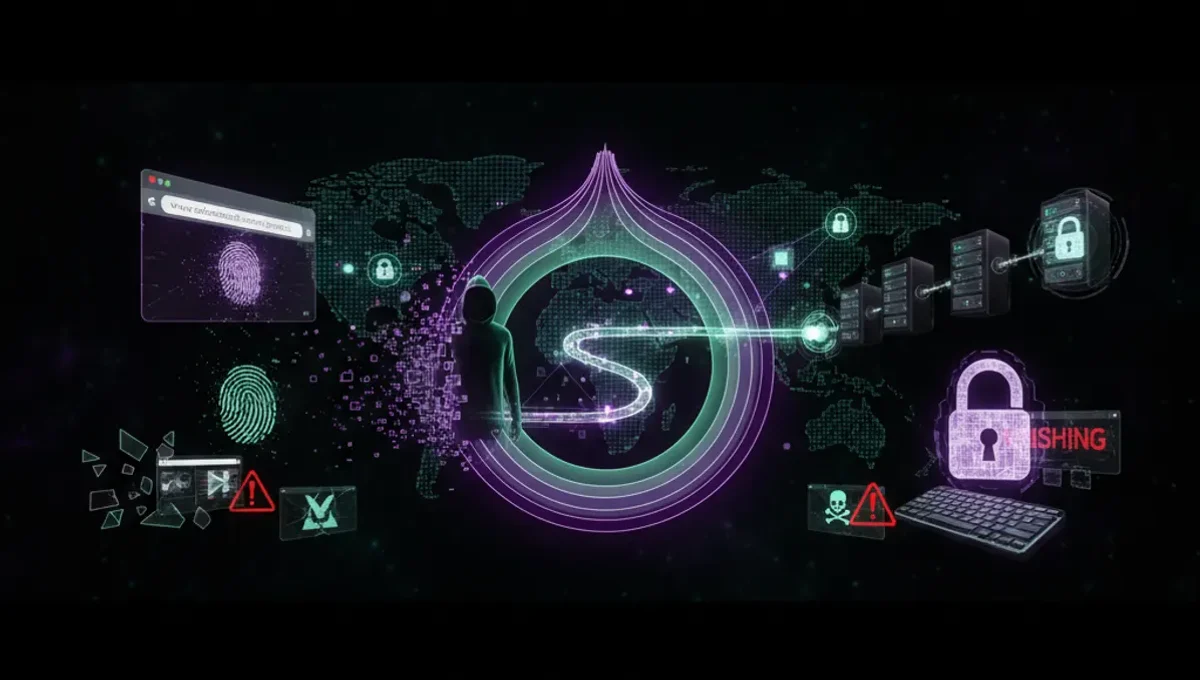
What the Dark Web Actually Is
The dark web is a collection of websites and services accessible only through anonymity networks like Tor. These sites use .onion addresses instead of standard domain names. The term 'dark web' often gets confused with 'deep web', which simply means any part of the internet not indexed by search engines, including your email inbox and medical records. The dark web is a small, intentional subset designed for anonymity. It emerged in the mid-2000s as Tor matured from a U.S. Naval research project into a public tool. Understanding this distinction matters because most of the internet is 'deep' but not 'dark', and accessing the dark web is legal in most countries; what you do there determines legality.
Prerequisites Before You Connect
Before attempting to access the dark web, you need a few things in place. First, use a dedicated device or a virtual machine running a fresh operating system, ideally Linux. Second, ensure your system is fully patched and free of malware; run a scan with reputable antivirus software. Third, decide whether to use a VPN before Tor. This is debated among security experts, but using a trusted VPN adds a layer that prevents your ISP from seeing you're connecting to Tor at all. Fourth, download Tor Browser only from the official Tor Project website, never from mirrors or third-party sources. Verify the GPG signature of the download to confirm authenticity. Finally, disable JavaScript in Tor Browser settings, as it can leak your real IP address in certain attack scenarios.
Installing and Configuring Tor Browser
Tor Browser is the best dark web browser for most users because it bundles Tor, Firefox, and security-hardened settings into one package. Follow these steps to set it up safely:
- Visit the official Tor Project website and download Tor Browser for your operating system.
- Verify the GPG signature using the provided public key to confirm the file has not been tampered with.
- Extract the archive to a folder you control, such as your home directory.
- Launch the Tor Browser executable.
- Wait for Tor to establish a connection; this may take 10-30 seconds and will show a progress bar.
- Once connected, open the Settings menu and disable JavaScript under the Security tab.
- Test your connection by visiting a Tor-check site to confirm your IP is masked.
Do not install additional extensions or plugins, as these can compromise anonymity. Do not maximize your browser window to full screen, as this can allow websites to detect your screen resolution and help identify you.
Finding and Verifying Onion Addresses
Once Tor Browser is running, you need addresses to visit. The best dark web search engines include Ahmia and Torch, both accessible as .onion sites. However, many .onion addresses are phishing clones or honeypots set up by law enforcement or scammers. Verification is critical. For legitimate projects like news organizations or security tools, visit their official clearnet website first and look for a link to their official .onion address, often in a security or contact section. Check that the address is signed with their PGP key. For forums and marketplaces, rely on PGP-signed announcements from known administrators posted on multiple platforms. Never trust an address shared in a random forum post or chat without independent verification. The Tor Project maintains a list of official onion services; use this as a reference point for well-known projects.
Reality Check: How the Ecosystem Actually Works
Understanding how the dark web ecosystem behaves in practice prevents costly mistakes. According to Tor Project documentation, the network is designed for anonymity but not for perfect security; metadata like timing and traffic patterns can sometimes be correlated across relays. This matters because even with Tor, your browsing habits and the sites you visit leave traces. Second, phishing and social engineering are rampant on the dark web because anonymity cuts both ways; scammers operate freely and victims have no recourse. Court records from major darknet marketplace seizures show that law enforcement can and does identify users through operational security failures, such as reusing usernames, making purchases that link to real-world delivery addresses, or logging in from the same IP address repeatedly. Third, malware distribution is common; many .onion sites host trojans or keyloggers disguised as tools or applications. These realities mean that the dark web requires more caution than the regular internet, not less.
Common Mistakes and How to Avoid Them
New users make predictable errors that compromise anonymity or expose them to theft and malware. Do not resize your Tor Browser window or enable plugins; websites can use these to fingerprint you. Do not use the same username or email address on the dark web that you use elsewhere online; this creates a link between your anonymous and real identities. Do not enable plugins like Flash or Java, which can bypass Tor and leak your real IP. Do not assume that being on the dark web makes you invisible to law enforcement; it does not. Do not download files unless you absolutely need them, and always scan them with antivirus software before opening. Do not enable your webcam or microphone unless you are certain the application is legitimate. Do not visit the dark web from a coffee shop or public network; use your own connection or a trusted VPN first. Do not assume that a site is safe because it has been around for a long time; many long-running marketplaces have been exit scams or honeypots.
What to Do After You Connect
Once you are connected and have verified an address, approach the dark web with the same skepticism you would use for any untrusted network. Start by visiting established news organizations or security research sites to get a feel for how legitimate .onion services behave. Read forum discussions and documentation without engaging in transactions or sharing personal information. If you are researching darknet marketplaces or forums for security awareness, use read-only access and never create an account or log in. If you encounter illegal content, do not download it or engage with it; simply close the tab. Remember that law enforcement monitors the dark web actively, and your ISP can see that you are using Tor even if they cannot see what you are doing. If your goal is to understand how the dark web works or to access legitimate services like privacy-focused communication tools, you now have the foundation to do so safely. The next step is to decide what you actually need to access and verify that it is legitimate before you visit.
Frequently asked questions
Is it illegal to access the dark web
No, accessing the dark web is legal in most countries. Using Tor Browser and visiting .onion sites is not a crime. However, what you do on the dark web determines legality; buying illegal goods, distributing malware, or accessing child exploitation material are crimes regardless of the network you use.
Can I be traced on the dark web
Tor makes tracing difficult but not impossible. Law enforcement has successfully identified dark web users through operational security mistakes, such as reusing usernames, linking purchases to real addresses, or logging in from the same IP repeatedly. Using Tor correctly significantly reduces the risk, but it does not guarantee complete anonymity.
What is the difference between Tor and a VPN
Tor routes your traffic through multiple relays operated by volunteers, while a VPN routes it through a single server operated by a company. Tor is designed for anonymity and is slower; a VPN is faster but requires trusting the VPN provider. Many users combine both for additional security.
How do I know if a dark web site is real
Verify .onion addresses through official clearnet websites or PGP-signed announcements from known administrators. Check the Tor Project's list of official onion services for well-known projects. Never trust an address shared in a forum post without independent verification, as phishing clones are common.
What should I download from the dark web
Minimize downloads from the dark web. If you must download something, use reputable sources only, scan files with antivirus software before opening, and use a sandboxed environment or virtual machine to test them. Most legitimate tools and information are available on the clearnet.