What Are Deepweb Links
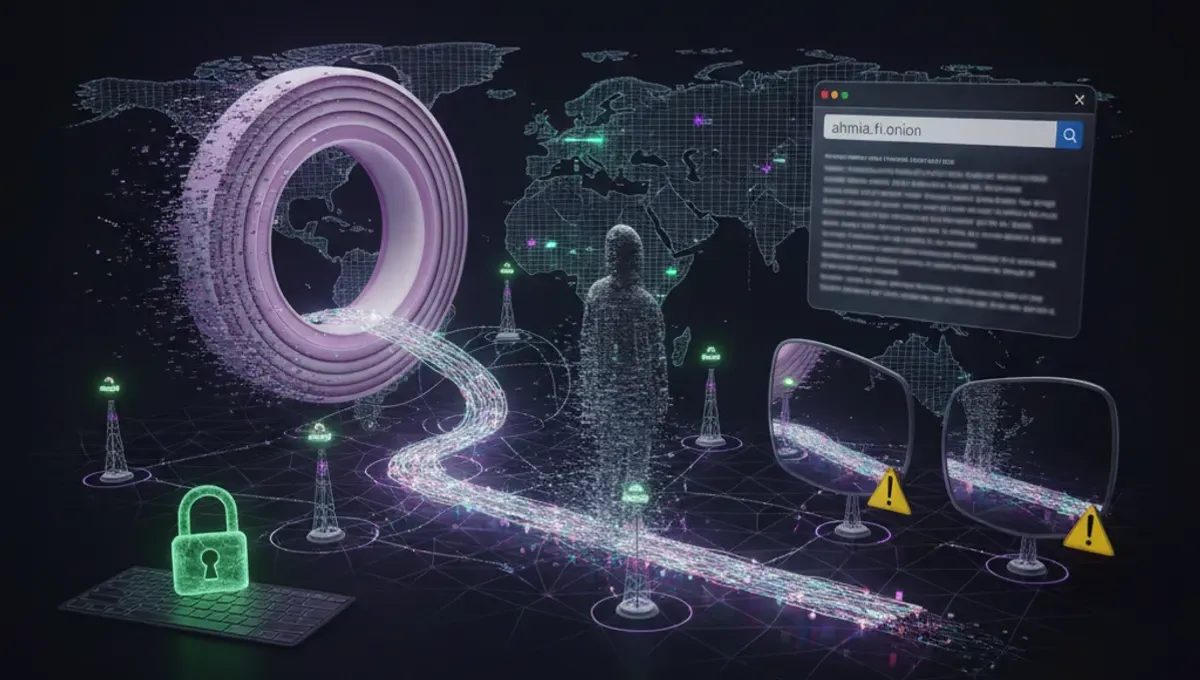
Deepweb links are URLs that end in .onion and point to services hosted on the Tor network. Unlike surface web addresses, onion links are not indexed by search engines and do not resolve through standard DNS. Each .onion address is a cryptographic hash derived from the site's public key, which means the address itself proves the site's identity.
These links serve legitimate purposes: privacy-focused news sites, whistleblowing platforms, forums for people in repressive countries, and security research projects all operate as onion services. A deepweb link is simply a way to access a service that prioritizes anonymity for both the operator and the visitor. The address format is long and random-looking because it encodes the server's cryptographic material, not because it is inherently suspicious.
Why Deepweb Directories Are Unreliable
Directories that claim to list deepweb sites or deepweb websites face a fundamental problem: onion services go offline, move, or are seized without warning. A directory updated three months ago may contain 40 percent dead links. Worse, attackers register similar .onion addresses (typosquatting) and list them in directories to trick users into visiting phishing clones.
Many directories are not maintained by the original site operators, so they cannot verify whether a link is current or authentic. Some directories themselves are honeypots designed to log visitors. The Tor Project does not maintain a central registry of onion sites, and for good reason: such a list would become a target for law enforcement and attackers. If you need to find a specific deepweb site, your safest approach is to locate an official PGP-signed announcement or a link from the site's official social media account, not a third-party directory.
How Deepweb Browser Access Works
To visit deepweb links, you need the Tor Browser, which is the official tool maintained by the Tor Project. Tor Browser routes your traffic through multiple relays, encrypting it at each hop, so that your IP address is hidden from the onion service and the service's IP is hidden from you.
When you enter a .onion address into Tor Browser, the browser performs a multi-step handshake with the onion service using its public key. This process proves that you are connecting to the real service, not an imposter. Tor Browser also isolates each tab and clears tracking data between sessions, reducing the risk of deanonymization through browser fingerprinting. Simply having Tor Browser installed does not make you anonymous; you must actually use it to visit onion sites, and you must avoid maximizing your browser window or changing settings that could reveal your screen resolution to the site.
Phishing Clones and Address Verification
Phishing clones are fake .onion addresses that mimic legitimate sites. Because .onion addresses are long and difficult to memorize, users often copy and paste them from search results or directories. An attacker can register a similar address and list it in a directory or search result, hoping users will not notice the difference.
To verify a deepweb link, follow these steps:
- Visit the official website or social media account of the service you want to access.
- Look for a PGP-signed statement or announcement that includes the correct .onion address.
- Copy the address directly from that official source, not from a directory or search result.
- In Tor Browser, check the onion icon in the address bar; it should show a green checkmark and the site's name when you hover over it.
- Verify that the site's SSL certificate matches the domain name.
If a site asks you to log in, create an account, or enter sensitive information, stop and verify the address again. Legitimate onion services publish their addresses on PGP-signed pages or through official channels, not through third-party directories.
Common Risks When Using Deepweb Links
Visiting deepweb sites carries several risks beyond phishing. Malware is common on onion services because there is no app store or review process; anyone can host anything. Some sites are honeypots run by law enforcement or security researchers to identify visitors. Others are scams designed to steal cryptocurrency or personal information.
Your Tor Browser protects your IP address, but it does not protect you from malware, social engineering, or your own mistakes. If you download a file from an onion site, that file could contain malware. If you fill out a form with personal information, you may be deanonymized. If you maximize your browser window or install plugins, you may leak your real screen resolution or system information. The Tor Project's documentation on onion service security is the most reliable source for understanding these risks.
Reality Check: How the Ecosystem Actually Works
According to Tor Project documentation, the majority of .onion addresses are short-lived and operated by individuals or small groups with limited resources for maintenance. This means that most deepweb links you find in a directory will be offline within six months. Law enforcement agencies, including the FBI and Europol, have published press releases describing how they seized onion services by identifying operators through traffic analysis, cryptocurrency transactions, or operational security mistakes, not by breaking Tor encryption. Security vendors have documented that phishing clones and typosquatting are the most common attack vectors against onion service users, more common than zero-day exploits. This matters to you because it means that no directory is a reliable source of truth, and that the safest way to access an onion service is to verify its address through an official channel before you visit it.
Finding Legitimate Deepweb Sites and Resources
If you need to find a specific onion service, start with the official website or social media account of the organization that runs it. Most legitimate services publish their .onion address on their surface web homepage, in a PGP-signed statement, or in an official blog post. The Tor Project maintains a list of recommended onion services on its website, and many privacy-focused organizations publish their addresses through official channels.
For research purposes, academic papers and security vendor reports sometimes document historical onion services and how they operated. These sources are more reliable than directories because they are authored by researchers with accountability and reputation at stake. If you are looking for a deepweb browser or deepweb site list for educational purposes, the Tor Project's official documentation is the most trustworthy starting point. Never assume that a directory is maintained by the original site operators, and always verify an address through an official source before you visit it.
Your Next Step: Verify Before You Visit
The core takeaway is simple: deepweb links are only as trustworthy as their source. A directory or search result is not a source. An official PGP-signed announcement, a site's own homepage, or a statement from the organization that runs the service is a source.
Today, if there is a specific onion service you want to visit, spend five minutes searching for its official website or social media account. Look for a PGP-signed statement that includes the .onion address. If you cannot find an official source, the service may not exist or may not be worth your time. This single habit will protect you from phishing clones, malware, and honeypots far more effectively than any directory ever could.
Frequently asked questions
Are deepweb links safe to click
Deepweb links are only safe if you verify the address through an official source before you visit it. Clicking a link from a directory or search result is risky because it could be a phishing clone or honeypot. Always copy the address directly from the site's official website or a PGP-signed announcement.
How do I know if a deepweb link is real
A real .onion address is published by the organization that operates the service, usually on their official website or in a PGP-signed statement. Tor Browser will show a green checkmark on the onion icon when you connect to a legitimate service. If you cannot find an official source for the address, assume it is not real.
Can I find deepweb links in a directory
Directories exist, but most links in them are dead, phishing clones, or outdated. Directories are not maintained by the original site operators and cannot verify whether a link is current or authentic. They are unreliable sources and should not be your primary way of finding onion services.
What is the difference between deepweb and dark web links
The terms are often used interchangeably, but technically the deepweb includes all non-indexed content (private email, paywalled sites), while the dark web specifically refers to services accessed through anonymity networks like Tor. Deepweb links and dark web links both end in .onion and require Tor Browser to access.
Do I need a VPN to access deepweb links
No. Tor Browser alone provides anonymity and encryption. Using a VPN with Tor can actually reduce your anonymity because it adds an extra point of failure. The Tor Project recommends using Tor Browser without a VPN for most users.