What Defines a Black Web Page
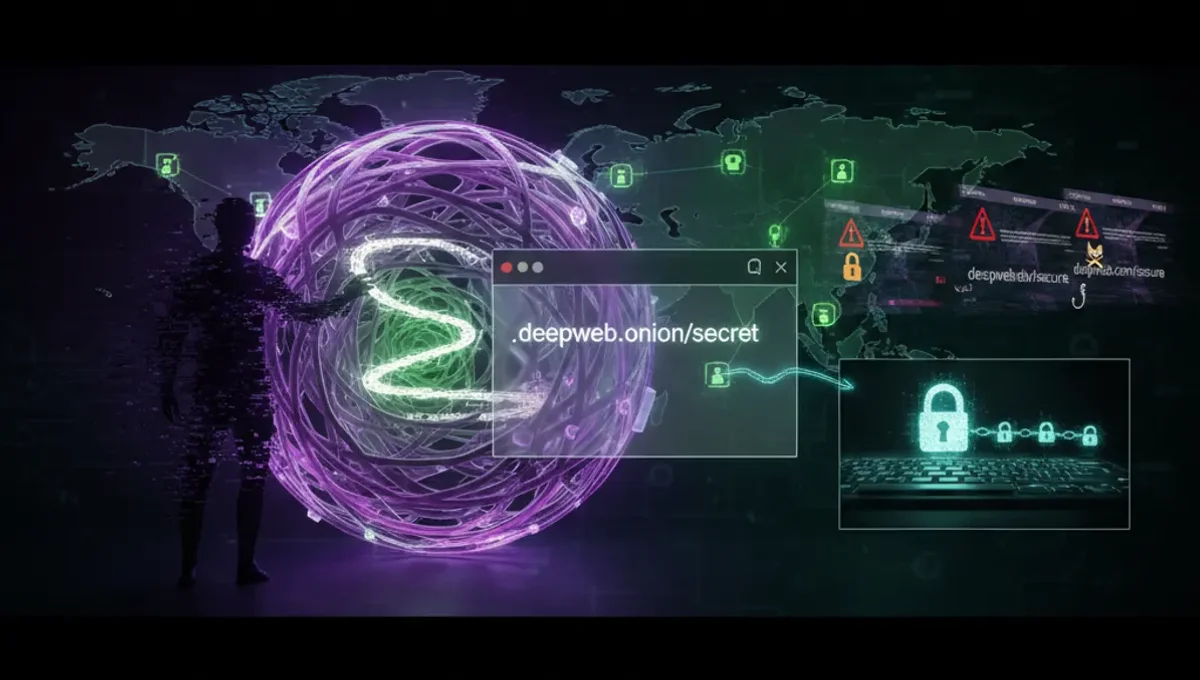
A black web page runs on Tor hidden services, a layer of the internet designed for anonymity. These pages have .onion addresses, which are cryptographic identifiers rather than domain names. The Tor network routes traffic through multiple relays, making it difficult to trace the user's location or the server's physical location. Black web pages can host anything from forums and marketplaces to news sites and whistleblowing platforms. The key distinction is intentional obscurity: the site operator wants to remain hidden, and the user's identity is protected by design. This contrasts with the regular web, where servers are publicly locatable and user traffic is visible to internet service providers.
Black Web Pages vs. Deep Web and Darknet Web
The deep web page includes all content not indexed by search engines: academic databases, private email accounts, medical records, corporate intranets. Most of the deep web is mundane and accessed through normal browsers. The darknet web, by contrast, is a small subset of the deep web that requires specific software like Tor to access. Black web pages are darknet web pages, but not all darknet web content is what people call the "black web." The black web typically refers to the intentionally hidden, anonymous layer where both legitimate and criminal activity occurs. Confusing these terms leads to misconceptions: accessing your bank account is accessing the deep web, not the black web. Accessing a Tor forum is accessing the black web. Understanding this hierarchy helps you assess actual risk versus perceived risk.
How Black Web Search Engines Work
Black web search engines index .onion pages and allow users to find content without knowing exact addresses. These search engines crawl Tor hidden services and catalog them, similar to how Google indexes the regular web. However, black web search engines are far less comprehensive and often return outdated or dead links. Many operators deliberately do not index their sites, preferring to distribute addresses through trusted channels only. Search results often include phishing clones and scams designed to steal credentials or cryptocurrency. A legitimate black web search engine cannot verify the safety or legality of indexed content. Users should treat results with extreme skepticism and verify any address through multiple independent sources before visiting. The Tor Project's official resources and PGP-signed announcements from known operators are more reliable than search results.
Why Black Web Pages Exist: Legitimate Use Cases
Journalists in authoritarian countries use black web pages to publish stories that would trigger arrest or violence. Political activists organize and communicate without state surveillance. Whistleblowers leak documents to news organizations through secure black web platforms. Domestic violence survivors find support forums where they can speak anonymously. Researchers study online privacy and security. These uses demonstrate that the black web is not inherently criminal, though it is often portrayed that way. The anonymity that protects a journalist also protects a criminal, which is why the technology is controversial. Legitimate black web pages typically have clear editorial standards, PGP signatures from known operators, and a track record of responsible use. Distinguishing legitimate from malicious pages requires research and verification, not assumptions based on the .onion address alone.
Accessing Black Web Pages Safely: Prerequisites and Verification
Before accessing any black web page, you need the Tor browser, which you should download only from the official Tor Project website. Verify the download using the provided PGP signature to confirm authenticity. Install Tor in a dedicated environment if possible, such as a virtual machine or a Tails operating system. Never maximize your browser window, as this can leak your screen resolution to websites. Disable JavaScript in Tor browser settings to reduce attack surface. When you have an address, verify it through multiple channels before visiting. Check the site's official social media, PGP-signed announcements, or trusted community forums. Phishing clones of popular black web pages are common; scammers register similar .onion addresses and replicate the layout to steal credentials. If a page asks for personal information, cryptocurrency, or login credentials, verify the address again before proceeding.
Reality Layer: How the Ecosystem Actually Works
The Tor Project's documentation confirms that .onion addresses are cryptographically generated and cannot be spoofed, but the address itself tells you nothing about the site's content or operator. This matters because users often assume a .onion address means legitimacy or safety; it does not. Law enforcement agencies monitor black web pages and have successfully identified operators through traffic analysis, metadata leaks, and operational security failures, as documented in public court records from high-profile prosecutions. Security vendors report that most black web pages are either inactive, scams, or honeypots designed to collect information on visitors. The barrier to entry is low: anyone can set up a .onion page, which is why the black web contains far more garbage than useful content. Users frequently lose money to exit scams on black web marketplaces or fall victim to credential theft through phishing clones. Understanding these realities helps you approach black web pages with appropriate caution rather than either dismissing them entirely or treating them as a lawless frontier.
Common Mistakes and How to Avoid Them
Users often assume anonymity on Tor means they are invisible; in reality, your behavior can deanonymize you. Logging into existing usernames, using personal information, or visiting the black web from a device that also connects to the regular internet with your real identity can link you to your accounts. Maximize your browser window or enable plugins, and websites can fingerprint you. Download files from black web pages without caution, and malware can compromise your system. Trust a black web page because it has been around for years, and you might be using a clone. Verify addresses through official channels, use a dedicated device or virtual machine, keep your Tor browser updated, and assume every page could be a scam or a honeypot. If a site asks you to enable JavaScript or install software, stop and verify the address again. The most dangerous mistake is treating the black web as a lawless space where normal security practices do not apply; the opposite is true.
Moving Forward: Verification and Informed Access
Accessing black web pages responsibly means treating verification as a non-negotiable step, not an afterthought. Before visiting any .onion address, confirm it through at least two independent sources: official announcements, PGP-signed statements, or trusted community discussions. Understand that the black web contains legitimate content alongside scams, malware, and law-enforcement monitoring. Your reason for accessing matters: if you are researching privacy technology or accessing a specific service you have already verified, the risk profile is manageable. If you are browsing out of curiosity or looking for illegal goods, you are exposing yourself to financial loss, malware, and legal consequences. Start by visiting the Tor Project's official resources and the "Useful Resources" page of this site, which lists verified black web access points and security tools. Educate yourself on Tor's actual capabilities and limitations before your first connection.
Frequently asked questions
What is the difference between a black web page and a dark web page
The terms are often used interchangeably, but technically a black web page is a Tor hidden service (.onion), while dark web is a broader term for any intentionally hidden network. Black web pages are always on Tor; dark web includes other networks like I2P. Both require specific software to access, and both can host legitimate or illegal content.
How do I know if a black web page is real or a phishing clone
Verify the .onion address through multiple independent sources: official announcements, PGP-signed statements, or trusted forums. Check for a PGP signature on the site itself. Phishing clones often have slightly different addresses or poor design. If a page asks for credentials or payment, verify the address again before proceeding. Never trust a site based on appearance alone.
Can I access black web pages safely on my regular computer
You can access them with Tor browser, but using your regular computer increases risks. Your device may have malware, and visiting the black web from the same device where you use your real identity can link you to your accounts. A virtual machine or dedicated device reduces this risk significantly. Always verify downloads and keep your Tor browser updated.
What should I do if I find an illegal marketplace on the black web
Do not engage with it. Report the .onion address to law enforcement if you have evidence of illegal activity. Accessing or using illegal marketplaces exposes you to malware, scams, and criminal liability. The black web is monitored by agencies in many countries, and operators are regularly prosecuted.
Are black web search engines reliable for finding pages
Black web search engines are far less comprehensive than regular search engines and often return dead links or outdated results. Many legitimate pages deliberately avoid indexing. Search results frequently include phishing clones and scams. Use search engines only as a starting point, then verify any address through official channels before visiting.